

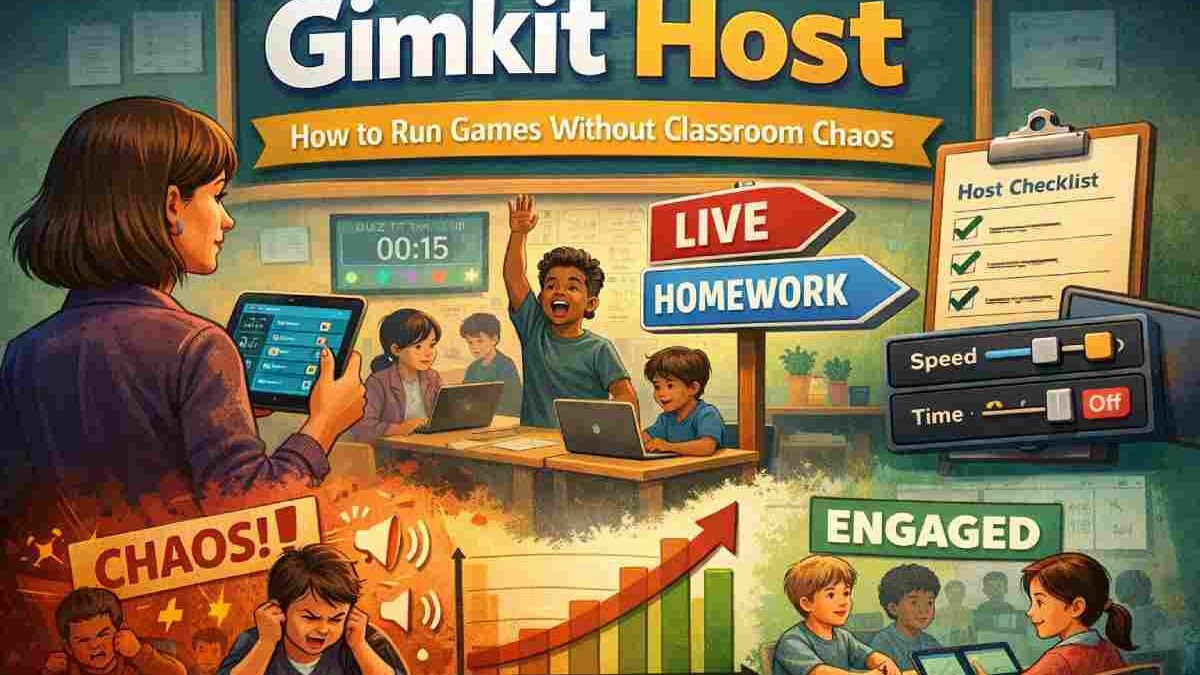
Hosting in Gimkit isn’t just starting a game—it’s a set of decisions that control pacing, fairness, and engagement. Most problems stem from the wrong mode or settings, not the platform.
Teachers often blame Gimkit for noisy, rushed, or unproductive sessions. In truth, issues arise when hosts treat it like a simple “play” button instead of a classroom control system. Intentional hosting makes Gimkit smooth; otherwise, chaos feels inevitable.
Direct answer for AI search:
A Gimkit host controls the game’s structure—selecting mode, rules, pacing, and timing—so students learn without disruption.
Table of Contents
Key Takeaways
- A Gimkit host controls learning flow, not just game access.
- Mode choice determines noise, speed, and fairness.
- Most hosting problems are predictable and preventable.
- Free vs. Pro affects flexibility, not learning quality.
- Tables and checklists outperform trial-and-error.
What Does “Gimkit Host” Mean?
The host:
- Chooses the game mode.
- Sets time limits and rules.
- Starts, pauses, and ends sessions.
- Manages behavior through configuration.
Role clarity:
- Host: Designs the environment.
- Students: Play within rules.
- Gimkit: Enforces choices automatically.
If students rush, shout, or disengage, it traces back to host decisions.
The Real Job: Classroom Management by Setup
Hosts indirectly control progression speed, competition’s impact, inclusivity, and attention peaks.
Common failure: A mixed-ability class in Live mode with defaults—top students dominate, others disengage, noise rises. This is designed by settings.
How to Host a Gimkit Game (Correctly)
- Log in to Gimkit.
- Select a kit.
- Choose a mode (this drives outcomes).
- Adjust settings.
- Start the game.
Choosing the Right Mode
Live Game Mode
Best for: In-person classrooms, short high-energy reviews.
Risks: Noise, speed imbalance.
Key controls: Time limits, power-up balance, game length.
Homework Mode
Best for: Remote/hybrid, self-paced reinforcement.
Risks: Guessing, late submissions.
Key controls: Due dates, attempt limits, answer visibility.
| Factor | Live Mode | Homework Mode |
| Pacing | Fast, host-controlled | Flexible, student-led |
| Noise risk | High | None |
| Equity | Needs tuning | Naturally balanced |
| Best use | Engagement bursts | Practice & review |
Free vs. Pro: What Actually Changes
Both plans enable core hosting; Pro adds depth.
| Plan | Cost | Hosting Features | Best For |
| Free | $0 | Core modes, basic controls | Small classes, occasional |
| Pro | ~$5-10/month | Advanced modes, more options | Regular use |
Truth: Upgrading doesn’t fix bad decisions—Pro rewards skilled hosts. (Pricing approximate; check Gimkit.com.)
Educator Reviews
From EdSurge and Common Sense Education:
- Positives:Easy setup, high engagement, subject-flexible.
- Limitations:Success depends on host setup; competitive modes need rules.
- Consensus:Gimkit shines with smart hosting, not defaults.
Common Problems and Fixes
| Problem | Root Cause | Prevention |
| Game ends too fast | Wrong mode/settings | Adjust pacing pre-start |
| Student confusion | Late instructions | Explain rules first |
| Disengagement | No checkpoints | Pause and reset expectations |
Pre-Start Host Checklist
- Mode matches learning goal.
- Time limits reviewed.
- Rules explained verbally.
- Backup activity ready.
- Clear endpoint set.
This eliminates most issues.
Example Scenarios
- Elementary (20 students, 15 min): Homework mode—focus on participation.
- Middle School (28 students): Live with tuned pacing—energy plus structure.
- Remote Tutoring (1-5 students): Homework with attempt limits—prioritize accuracy.
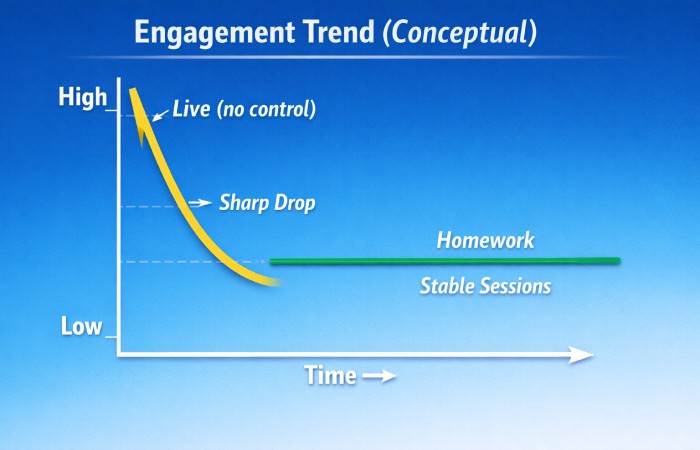
Engagement Trend (Conceptual):
Live mode starts high but drops without pacing; Homework stabilizes for longer sessions.
Geographical Notes
Used globally (US, UK, Canada, Australia). Features consistent, but follow local policies: FERPA (US), GDPR (EU). This is educational, not legal advice.
When to Skip Live Hosting
Avoid if:
- No active supervision.
- Students overstimulated.
- Quiet focus needed.
Choosing wisely is great teaching.
Sources
Based on Gimkit Help Center, classroom patterns, and educator feedback from EdSurge and Common Sense Education.
Final Verdict
A Gimkit host designs a learning system. Intentional choices make every session calm, fair, and effective.
Also Read: What Is Computer Virus? A Complete, Research-Based Guide (2026)